Turn Checker: Get Your Turnitin Similarity & AI Report
Get your Similarity and AI report before submission. Fast, private, and easy to understand.
How to Use Turn Checker in 3 Steps
Step 1: Upload Your Paper
Upload your paper and click check to begin the official scan.
Step 2: Start Analysis
Check similarity matches and AI-generated content signals.
Step 3: Get Your Report
View your detailed Similarity and AI Detection results.
Why Choose Turn Checker
Clear reports, actionable insights, and privacy-first protection.
Comprehensive Content Analysis
Explore similarity matches, AI indicators, source comparisons, and sentence-level findings in one report.
Instructor View Preview
Get a preview of the report your instructor may use when reviewing your paper.
Your Content, Your Control
Not added to a repository. Auto-deleted within 24 hours to help avoid future 100% similarity matches.
Make Better Submission Decisions
Use report insights to decide what needs attention before submitting your final version.
Built Around Privacy
- check_circleSecure File Handling
- check_circleReports Auto-Deleted Within 24 Hours
- check_circleNot Added to the Repository
More Than Just a Score
Sentence-level analysis for both Turnitin Similarity and AI Reports, with clear visuals, highlighted sections, and source-level insights.
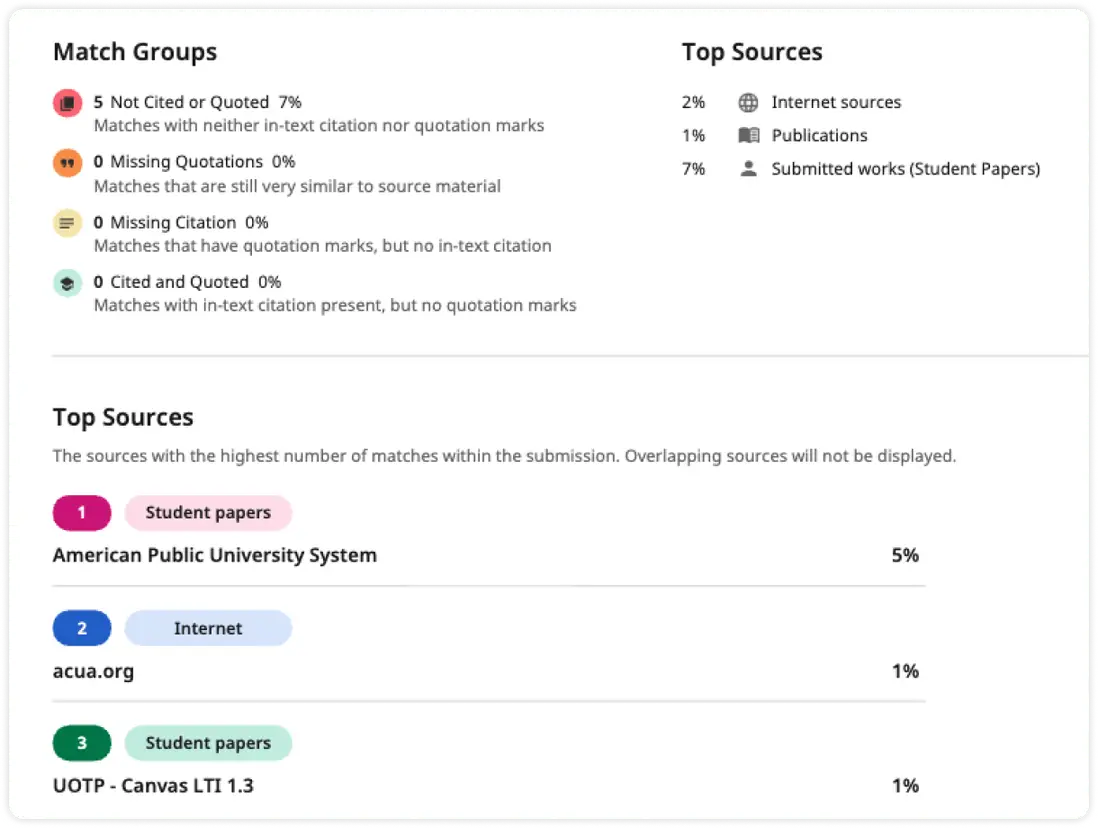
Detailed Similarity Report
See matched sources, highlighted passages, similarity percentages, and source-by-source comparisons in a clear, easy-to-review format.
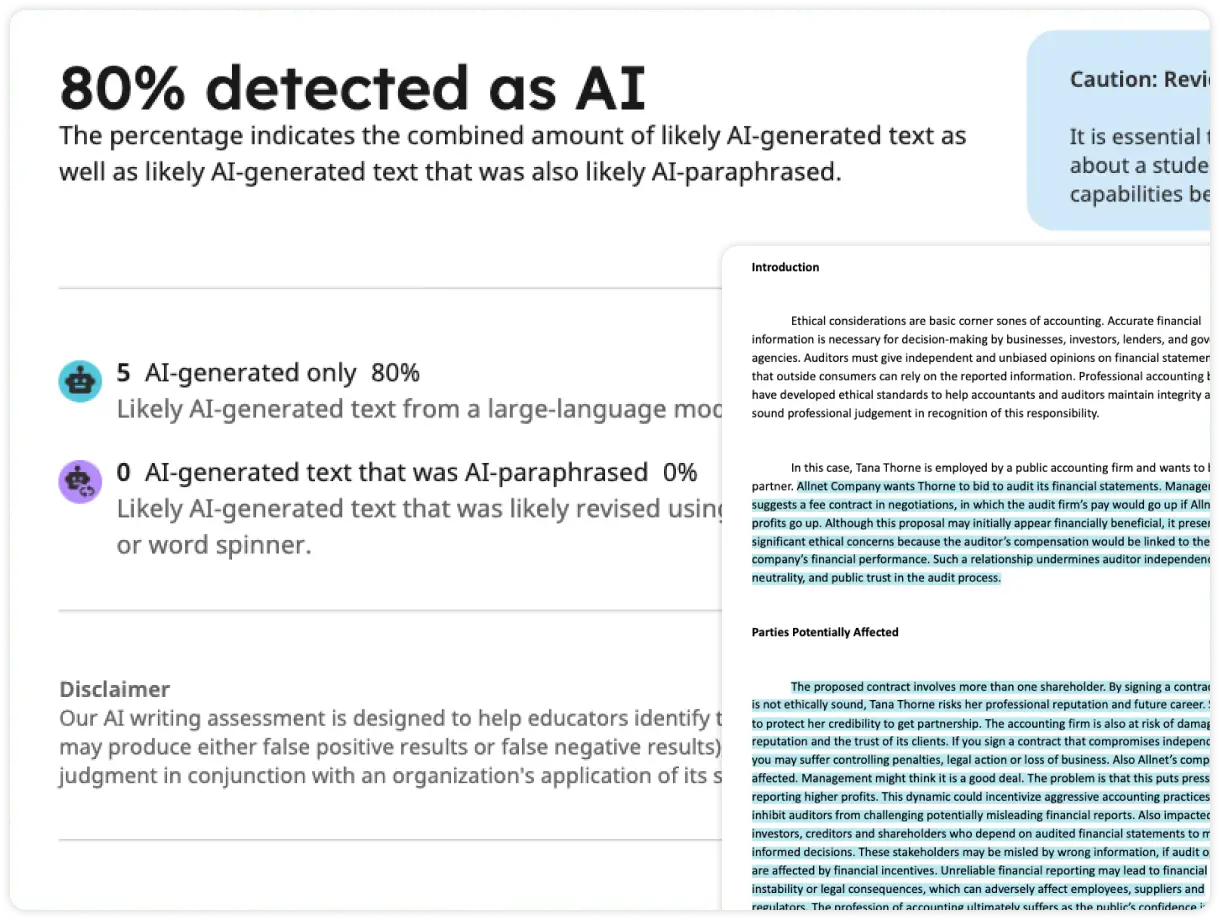
AI Writing Report
Review AI-generated and AI-paraphrased content indicators, sentence-level highlights, detection signals, and overall AI risk estimates across your document.